Babushka Market

Cooking & Baking guide

How to Scale a Cake Recipe

Scale cake batter by pan area when changing pan size or shape, keep batter depth comparable, and adjust baking time by observation.

Cooking and baking planning tools

Compare pan areas

Scale by the ratio of new to original pan area. Moving from a 23 cm round pan (about 415 cm²) to a 23 × 33 cm rectangular pan (759 cm²) is a factor of about 1.83: 1,000 g of batter becomes about 1,827 g.

Keep batter depth comparable

The ratio assumes the new pan is filled to a similar depth. A deeper or shallower layer changes baking time and structure even when the quantity is right.

Scale by weight

Multiply weighed quantities by the factor; rounding cup measures introduces errors. For eggs, beat them and weigh the share you need.

Adjust baking with observation

Temperature usually stays the same, but time changes. Start checking earlier when layers are shallower and later when they are deeper.

Practical checklist

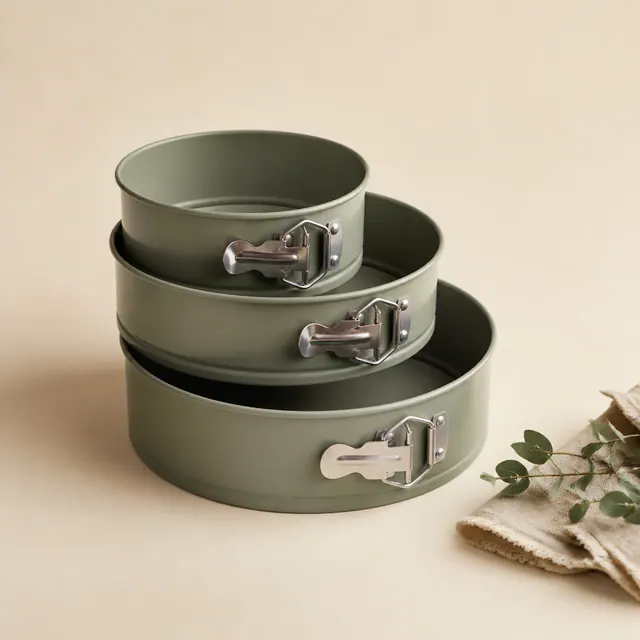
  • Measure the pan’s inside dimensions.
  • Scale weights rather than rounded cup measures.
  • Note the new baking time for next time.
Your measurements and assumptions

Use the actual product label and your measured quantities. Starting values are editable examples, not universal rates or product specifications. Keep the units beside each input.

factor=new_pan_area/old_pan_area; ingredient_new=ingredient_old*factor

Change the inputs to match your own task. Whole packages are rounded up after allowances, so purchase quantity and actual requirement can differ. Apply each allowance once.

Example from an existing calculator

Recipe Scaling and Ingredient Costs | Babushka Market. This worked example demonstrates the calculation in the linked tool. Its displayed assumptions apply to that example; use the guidance above to decide which measurements, product specifications or quantities belong to your own task.

Worked example

With Original servings: 4; Target servings: 10; Ingredient: Flour; Unit: g; Original quantity: 500; Pack quantity: 1000; Pack price: 1.5; Ingredient: Milk; Unit: ml; Original quantity: 300; Pack quantity: 1000; Pack price: 1.2, the calculator returns Scale factor: 2.5.

Inputs
InputsChanged input
Original servings4
Target servings10
IngredientFlour
Unitg
Original quantity500
Pack quantity1000
Pack price1.5
IngredientMilk
Unitml
Original quantity300
Pack quantity1000
Pack price1.2
Calculated result
Calculated resultChanged input
Scale factor2.5
Flour · Scaled quantity1250 g
Flour · Packs to buy2
Flour · Purchase quantity2000 g
Milk · Scaled quantity750 ml
Milk · Packs to buy1
Milk · Purchase quantity1000 ml
Ingredient cost used2.775
Whole-pack purchase cost4.2
Cost per serving0.277

Method and assumptions

Scale factor = target servings ÷ original servings. Each row retains its own unit; do not enter a gram quantity with a kilogram pack size. Ingredient cost values only the amount used. Purchase cost rounds each ingredient to whole packs, assuming no existing stock. Salt, leavening and cooking times may need recipe-specific adjustment.

Common-value reference

The reference cases change only Original servings. The remaining inputs stay at the displayed values. These are worked scenarios, not universal rates, dimensions, product specifications or current shop prices.

Common-value reference
Original servingsScale factor
Original servings: 4Scale factor: 2.5
Original servings: 2Scale factor: 5
Original servings: 6Scale factor: 1.667
Original servings: 8Scale factor: 1.25
Original servings: 12Scale factor: 0.833

Questions and answers

How is this example calculated?

Scale factor = target servings ÷ original servings. Each row retains its own unit; do not enter a gram quantity with a kilogram pack size. Ingredient cost values only the amount used. Purchase cost rounds each ingredient to whole packs, assuming no existing stock. Salt, leavening and cooking times may need recipe-specific adjustment. In the displayed example, Original servings: 4; Target servings: 10; Ingredient: Flour; Unit: g; Original quantity: 500; Pack quantity: 1000; Pack price: 1.5; Ingredient: Milk; Unit: ml; Original quantity: 300; Pack quantity: 1000; Pack price: 1.2. The calculated outputs are Scale factor: 2.5; Flour · Scaled quantity: 1250 g; Flour · Packs to buy: 2; Flour · Purchase quantity: 2000 g. Keep the labels and units with these numbers: they describe this particular combination of inputs, not a result that can be reused after the measurements or assumptions change.

What changes when I edit Original servings?

The table isolates that input while keeping the other displayed settings fixed. For Original servings: 2, the result is Scale factor: 5; for Original servings: 12, it is Scale factor: 0.833. Those values come from the same calculator used on this page. They show the effect of changing the input, rather than prescribing which input is right for your own task.

How should I use the different result figures?

Read each named quantity separately: Scale factor: 2.5; Flour · Scaled quantity: 1250 g; Flour · Packs to buy: 2; Flour · Purchase quantity: 2000 g. A value with a different label or unit answers a different part of the calculation. Check the measurements and assumptions before using any figure. The reference cases explain the arithmetic under their stated conditions; they do not verify a product label, a recipe or the conditions of a particular project.