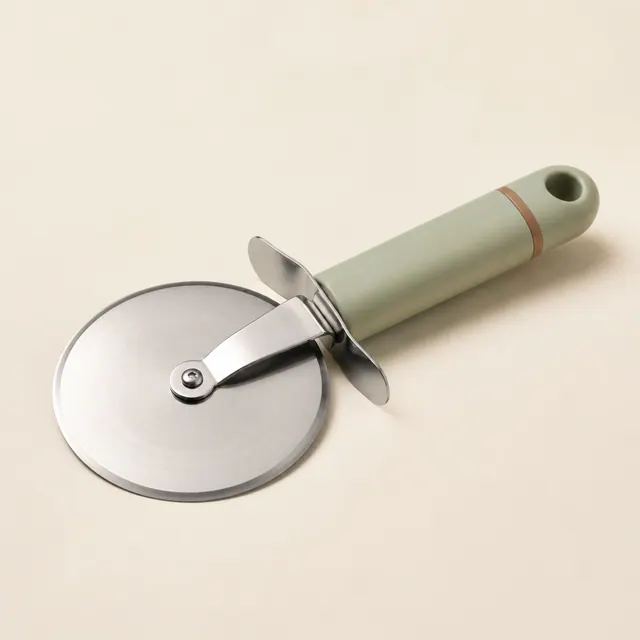
Count slices per guest, add an allowance and round up to whole pizzas, and see how a larger pizza diameter reduces the number you need.
Count slices, then pizzas
The calculator starts from 3 slices per adult and 2 per child (editable). Eight adults and four children need 32 slices; with a 10% allowance that is 35.2, which at 8 slices per pizza means 5 pizzas.
Bigger pizzas are much bigger
Area grows with the square of the diameter. A 35 cm pizza has about 1.36 times the area of a 30 cm one, so the same group needs 4 of the larger size instead of 5 of the smaller. Compare prices per pizza against that area ratio.
Adjust for the menu
Pizza served with substantial sides needs fewer slices than pizza as the only meal. Very thin or very thick bases change how filling a slice is.
Plan variety
Cover known dietary requirements first, then split the rest across broadly popular choices, keeping allergens and cross-contact in mind.
Practical checklist
Confirm the actual number of slices per pizza with the supplier.
Schedule delivery close to serving time.
Keep one extra plain pizza for children if appetites are uncertain.
Babushka Picks
A short list for the next step
Start with the essential item, add the useful option when it improves the job, and treat the final choice as optional.
Use the values and units in the worked example below; change the assumptions for your own project.
Pre-filled values: Slices & ordering
Input
Value
Adults
8
Children
4
Slices per adult
3
Slices per child
2
Slices per pizza
8
Extra allowance
10 %
Price per pizza
12
Calculated result
Result
Value
Portions including allowance
35.2 reference slices
Pizzas to order
5
Equivalent slices left over
4.8 reference slices
Order cost
60 (in your currency)
Questions and answers
How does How Much Pizza Per Person? work?
Enter portions for the pizza size you are ordering; slicing one pizza more finely does not create more food. The starting portions are examples. Adjust for appetite, side dishes and slice size; the allowance is added before rounding to whole pizzas.
What does the worked example show?
Inputs: Adults: 8; Children: 4; Slices per adult: 3; Slices per child: 2; Slices per pizza: 8; Extra allowance: 10 %; Price per pizza: 12. Result: Portions including allowance: 35.2 reference slices; Pizzas to order: 5; Equivalent slices left over: 4.8 reference slices; Order cost: 60 (in your currency).
What should I check before using the result?
The starting portions are examples.
Example from an existing calculator
Pizza Calculator | Babushka Market. This worked example demonstrates the calculation in the linked tool. Its displayed assumptions apply to that example; use the guidance above to decide which measurements, product specifications or quantities belong to your own task.
Worked example
With Adults: 8; Children: 4; Slices per adult: 3; Slices per child: 2; Slices per pizza: 8; Extra allowance: 10 %; Price per pizza: 12, the calculator returns Portions including allowance: 35.2 reference slices.
Inputs
Inputs
Changed input
Adults
8
Children
4
Slices per adult
3
Slices per child
2
Slices per pizza
8
Extra allowance
10 %
Price per pizza
12
Calculated result
Calculated result
Changed input
Portions including allowance
35.2 reference slices
Pizzas to order
5
Equivalent slices left over
4.8 reference slices
Order cost
60 (in your currency)
Method and assumptions
The starting portions are examples.
Common-value reference
The reference cases change only Adults. The remaining inputs stay at the displayed values. These are worked scenarios, not universal rates, dimensions, product specifications or current shop prices.
Common-value reference
Adults
Portions including allowance
Adults: 8
Portions including allowance: 35.2 reference slices
Adults: 4
Portions including allowance: 22 reference slices
Adults: 10
Portions including allowance: 41.8 reference slices
Adults: 12
Portions including allowance: 48.4 reference slices
Adults: 20
Portions including allowance: 74.8 reference slices
Questions and answers
How is this example calculated?
The starting portions are examples. In the displayed example, Adults: 8; Children: 4; Slices per adult: 3; Slices per child: 2; Slices per pizza: 8; Extra allowance: 10 %; Price per pizza: 12. The calculated outputs are Portions including allowance: 35.2 reference slices; Pizzas to order: 5; Equivalent slices left over: 4.8 reference slices; Order cost: 60 (in your currency). Keep the labels and units with these numbers: they describe this particular combination of inputs, not a result that can be reused after the measurements or assumptions change.
What changes when I edit Adults?
The table isolates that input while keeping the other displayed settings fixed. For Adults: 4, the result is Portions including allowance: 22 reference slices; for Adults: 20, it is Portions including allowance: 74.8 reference slices. Those values come from the same calculator used on this page. They show the effect of changing the input, rather than prescribing which input is right for your own task.
How should I use the different result figures?
Read each named quantity separately: Portions including allowance: 35.2 reference slices; Pizzas to order: 5; Equivalent slices left over: 4.8 reference slices; Order cost: 60 (in your currency). A value with a different label or unit answers a different part of the calculation. Check the measurements and assumptions before using any figure. The reference cases explain the arithmetic under their stated conditions; they do not verify a product label, a recipe or the conditions of a particular project.